IPTV Smarters Pro
Login with server URL, username and password, typed once with the remote. Guide: IPTV Smarters Pro.
Device setup · Amazon Fire TV Stick
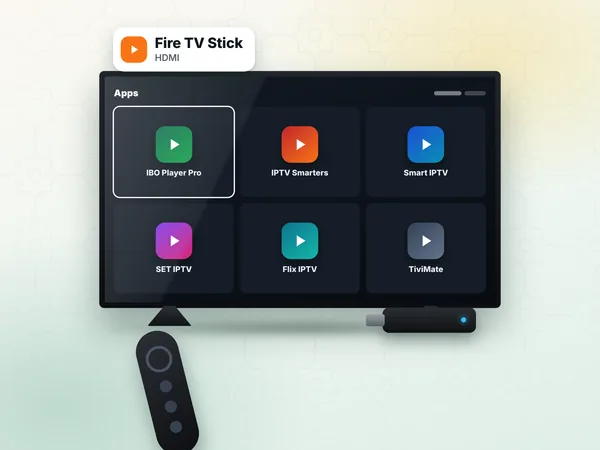
Setting up IPTV on Firestick takes four stages: allow apps from outside the Amazon store, install the Downloader app, install a player, then type your weweb IPTV subscription details. This page of our IPTV setup guide covers each stage on a Fire TV Stick, Fire TV Stick 4K or Fire TV Cube, with the menus as they appear on the device.
A Fire TV Stick is a small, affordable way to turn any television with an HDMI port into a smart TV, which makes it popular in Morocco for older sets, riads and holiday flats, and with Moroccans abroad. Once set up, it plays every channel of your IPTV Morocco line.
Many IPTV players are not in the Amazon Appstore, so the stick must be allowed to install apps from another source. On recent Fire TV software, the Developer options menu is hidden until you unlock it.
From the home screen, open Settings (the gear icon) → My Fire TV.
If you do not see Developer options, open About and press the select button seven times on your device name (for example "Fire TV Stick 4K"). A message confirms that you are now a developer.
Go back to My Fire TV → Developer options.
Turn on ADB debugging only if an app asks for it; it is not needed for this guide.
Leave this screen open: you will come back to it after installing Downloader.
On the home screen, use Find → Search and type "Downloader".
Choose the orange Downloader app and select Get or Download. It is free in the Amazon Appstore.
Return to Settings → My Fire TV → Developer options → Install unknown apps, and turn it on for Downloader.
Open Downloader and allow access to files when it asks.
Only allow unknown apps for Downloader, and only download players from the official website of the app developer. Avoid modified copies shared in groups.
First look for the player in the Amazon Appstore: some players are listed there and install with one click, without Downloader. If yours is not, type the download address published on the developer's official website into Downloader's URL bar, press Go, then Install when the file has downloaded, and Delete the file afterwards to save space.
Login with server URL, username and password, typed once with the remote. Guide: IPTV Smarters Pro.
Shows a MAC address and device key; the playlist is added from your phone. Guide: IBO Player Pro.
Poster screens for films and series, playlist by MAC address. Guide: Flix IPTV.
On a stick, a login app is usually the fastest choice: there is no website step and no app activation on most of them.
Open the player you installed. With a login app, choose the Xtream Codes or "Login" option.
Type a name, then the username and password from our WhatsApp message. Use the on-screen keyboard carefully: capitals count.
Type the server URL with http:// and the port number, exactly as sent. What each value means is explained on Xtream Codes.
Confirm and wait while channels, films and series load.
Open Live TV, play 2M or Arryadia, and add your everyday channels to favourites.
Back on the Fire TV home screen, long-press the app and move it to the first row so it opens in one click.
Check what your line can carry on internet speed for IPTV, and fix playback problems with IPTV troubleshooting.
On a standard Fire TV Stick connected to a Full HD TV, Standard (300 DH) is enough. On a Fire TV Stick 4K or Cube with a 4K TV, Premium (450 DH) shows 4K where the channel broadcasts in 4K. With a stick in the salon and a phone for matches away from home, VIP (600 DH) can be installed on both devices, used one at a time.
Ask for help on WhatsApp (+212 6 03 36 55 75) at any stage. Your access arrives within 1 hour, 24 h at most after payment.
Answers
Yes, on every Fire TV Stick and Fire TV Cube. Enable Developer options, install Downloader from the Amazon Appstore, install a player from its official site, then sign in with your access details.
Go to Settings, My Fire TV, About, and press select seven times on your device name. Developer options then appear in My Fire TV, where you allow Downloader to install unknown apps before adding your weweb player.
Choose a 12-month plan and receive your login on WhatsApp. Type it once in your player and every channel is on your television.