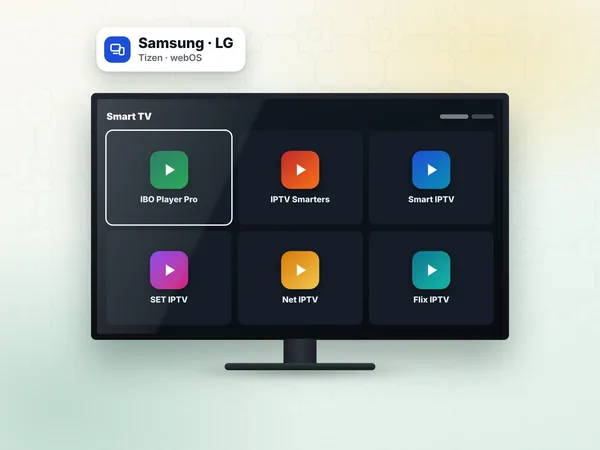
Samsung
Home → Apps → search "Net IPTV" → Install. Open it once to display the MAC address.
App setup · Net IPTV
Net IPTV is a television player that shows your channels in a clean grid and gets its playlist from the developer's website, linked to the TV's MAC address. It is a practical way to watch a weweb IPTV subscription on a Samsung or LG smart TV or an Android device. Here you will find the setup, the activation and the fixes, as a companion to our IPTV setup guide.
Net IPTV includes no content. Once your playlist is attached, it plays the live channels, films and series of your IPTV Morocco line, with Moroccan, Arabic and international groups.
Net IPTV is appreciated for its simple layout: big tiles, a clear channel list and quick switching with the arrow keys. It suits people who mainly watch live television, such as the 20:30 news on Al Aoula, a series on 2M or a Botola match, and who want a remote-friendly screen.
It works on the same principle as other MAC-address players: you never type your link on the TV. If you are choosing between several of them, our IPTV on Samsung TV page compares the options by brand.
Home → Apps → search "Net IPTV" → Install. Open it once to display the MAC address.
Open the LG Content Store or Apps, search the app and install it.
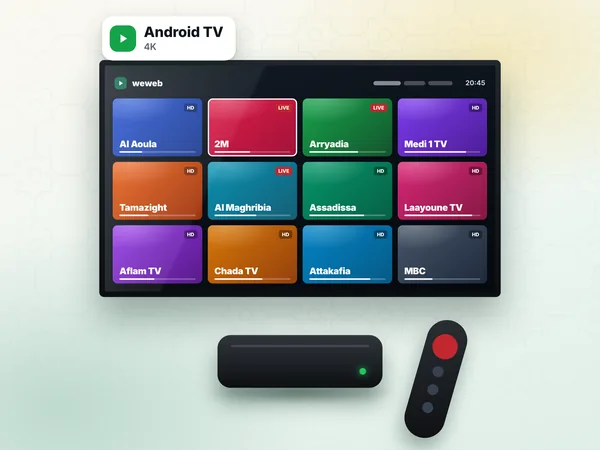
Install from Google Play when listed; otherwise the developer's site lists the supported options.
When the app starts, it shows its MAC address and the developer's website address. Take a photo of the screen: you need both for the next step.
Your weweb access message contains an M3U link and Xtream Codes details. Net IPTV takes the M3U link; if the developer's site offers an Xtream form for your device, you can use the three Xtream values instead.
On your phone, open the developer's website shown in the app and find the page to add or manage a playlist.
Type the MAC address from your photo, pair by pair.
Give the playlist a name, for example "weweb", and paste the M3U link from our WhatsApp message.
Save the playlist. The site confirms that it is attached to this MAC address.
On the TV, close Net IPTV and open it again. Choose the playlist if the app shows a list, then wait for the groups to load.
Open the Morocco group and play Medi 1 TV or Arryadia to make sure the picture and sound work.
If the site asks you to protect the playlist with a PIN, write it down: you will need it to edit or replace the link later, for example when your test line becomes a paid line.
Net IPTV usually runs for a trial period after installation, then asks for activation. The activation is the app's licence for that one device. It is paid to the developer on their website with your MAC address, and the price is set by the developer and shown on their page.
Your weweb plan does not include this licence, and it does not depend on it either: if you would rather not pay for a player, a login app on an Android box or Fire TV Stick works with the same subscription. See the options in our IPTV setup guide.
| Symptom | Cause | Fix |
|---|---|---|
| Start screen with no playlist | Link not attached to this MAC | Add the playlist again on the site with the MAC shown on the TV |
| Error when loading the list | Link incomplete | Copy the full link from WhatsApp again |
| Old list after a change | App cache | Restart the app, then unplug the TV for one minute |
| Activation screen | Trial of the app ended | Activate the app on the developer's site |
| Freezes on match nights | Line busy at peak time | See the troubleshooting page and use a cable |
Buffering, black screens and guide problems are covered one by one in IPTV troubleshooting.
All plans work. For a Full HD TV, Standard at 300 DH is the simple choice. For a 4K TV and the full sports packs, Premium at 450 DH shows 4K where the channel broadcasts in 4K. Both are installed on one device and play one stream at a time.
Send your TV model and MAC address on WhatsApp (+212 6 03 36 55 75) for a free 24-hour test, then order your IPTV subscription. Access arrives within 1 hour, 24 h at most.
Answers
Note the MAC address on the Net IPTV start screen, open the developer's website on your phone, enter the MAC address and paste your weweb M3U link. Then restart the app on the TV.
Make sure the new link was saved for the same MAC address, then restart the app and unplug the TV for a minute to clear its memory. If the site asked for a playlist PIN, you need it to replace the link.
Choose a 12-month plan, receive your M3U link on WhatsApp and add it to your TV's MAC address on the developer's site. We guide you if anything blocks.