Choosing an IPTV app for Samsung and LG TVs: a clear comparison
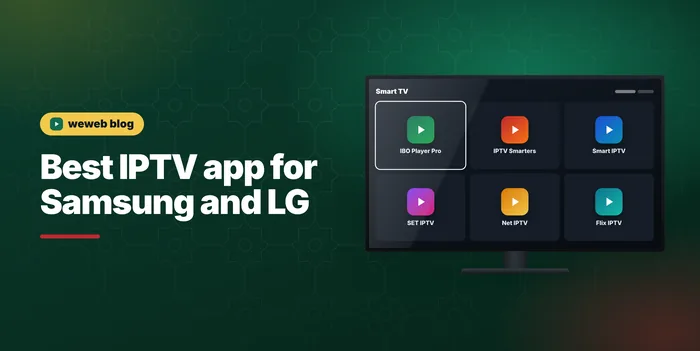
How to choose an IPTV app for Samsung and LG TVs: Tizen and webOS, the apps in the stores, activation fees paid to the app, and when to use a stick.
Samsung and LG make most of the smart TVs sold in Morocco, and both can play IPTV without any extra box. The catch is choosing the right player, because the stores offer many apps that look alike. This guide helps you choose an IPTV app for Samsung and LG TVs. The installation itself, screen by screen, is on our page IPTV on Samsung TV and LG: install step by step.
Remember that the app is only the player. Your subscription provides the channels; the app displays them. You can change apps later without changing your subscription.
Start with your TV's system and age
Samsung smart TVs run Tizen and LG smart TVs run webOS. Each has its own app store, and the choice of player apps is not exactly the same on both. The store can also differ by country and by model year.
Age matters too. Recent models receive app updates and have enough memory to load a large channel list smoothly. Older smart TVs may have fewer apps available, or run them slowly. Check the model year in the TV settings before you decide.
What a good TV app needs to do
- Accept your access in the format you have: an Xtream login, an M3U link, or both.
- Show a programme guide (EPG) that is easy to read with a remote.
- Keep live TV, films and series in separate, clear sections.
- Let you create favourites and, ideally, lock categories with a PIN.
- Start quickly and stay responsive with a long channel list.
If you are not sure which format suits you, M3U and Xtream logins compared explains the difference in a few minutes.
The apps you will meet in the stores
These are the names that come up most often on Samsung and LG TVs. Availability can vary with your model and region.
IBO Player Pro
A popular choice with a clean interface and support for both formats. The playlist is added through the app's website using the MAC address and device key shown on your TV. After a trial period, it requires an activation paid to the app. Our guide to IBO Player Pro covers the activation.
Smart IPTV
One of the oldest TV players. It works with a playlist link uploaded on its website using your TV's MAC address, and it has its own one-time activation after a trial. See our Smart IPTV page for the details.
SET IPTV, Net IPTV and Flix IPTV
These apps follow the same MAC-address principle, each with its own interface and activation. Some people prefer one for the way it shows the guide or the films. Each one has its own guide on our site, linked from the IPTV setup guide.
IPTV Smarters Pro
Well known on phones and Fire TV, and available on some TV models. Where you find it in the store, it lets you type your Xtream login directly on the TV. See IPTV Smarters Pro for the login fields.
Picture quality on Samsung and LG screens
Most recent Samsung and LG TVs are 4K screens, but a 4K TV does not turn every channel into 4K. The picture you get depends on what the channel broadcasts, on your plan and on your connection. On Premium and VIP, you get 4K where the channel broadcasts in 4K; on Standard, channels play in HD and Full HD, which already looks sharp on most living-room screens.
Wi-Fi is the other factor. If the TV is far from the router, use an Ethernet cable or the 5 GHz Wi-Fi band. Our page on 4K IPTV explains what a 4K picture needs in detail.
Activation fees: who you pay and for what
Many TV player apps are free for a short period, then ask for an activation, often a one-time fee per TV. This fee goes to the app developer, on the app's official website. It is separate from your subscription.
weweb never asks you to pay an app activation on WhatsApp. If someone does, treat it as a warning sign. Your weweb payment covers the subscription only: Standard 300 DH, Premium 450 DH and VIP 600 DH for 12 months.
Comparing the main choices
- Ease of setup: apps that accept a typed Xtream login are quickest; MAC-address apps need a phone or computer for the upload.
- Interface: IBO Player Pro and Smarters are known for clear sections; older apps can feel basic.
- Films and series: apps that read Xtream logins organise them best.
- Cost: check each app's activation price on its official website before you commit.
- Updates: prefer an app that is updated regularly on your TV's store.
When the built-in app is not enough
If your TV is old, slow or has no suitable player in its store, the easiest fix is a streaming device on an HDMI port. A Fire TV Stick or an Android box gives you a wider choice of apps and usually a faster interface than an older TV. Our guide to IPTV on Firestick shows the setup, and Android boxes work in a very similar way.
Setting up your choice
- Find your TV model and system (Tizen or webOS) in the settings.
- Search the store for the player you prefer and install it.
- Note the MAC address and device key if the app shows them.
- Add your access: type the Xtream login, or upload the playlist link on the app's website.
- Restart the app, open a channel and check the programme guide.
If the channel list does not appear, check for a typing error first, then restart the TV. Most problems at this stage come from a wrong letter or a space in the details.
Testing before you commit
The best way to choose is to try. Install the app you like during its free period and ask us for a free 24-hour test line on WhatsApp. If the app suits you, activate it with its developer; if not, try another without paying anything twice.
When you are happy with the picture, compare the plans on the IPTV subscription page. Your access arrives within 1 hour, 24 h at most, in both formats. More about the service on the IPTV Morocco home page.
Answers
Frequently asked questions
No. Many player apps charge their own activation after a trial period, and that fee is paid to the app developer on its official website. Your payment covers the subscription only, and weweb never asks for an app activation on WhatsApp.
Plug a streaming device into an HDMI port: a Fire TV Stick or an Android box offers a wider choice of apps and usually a faster interface than an older smart TV. Your weweb subscription works on it with the same access details.
Watch with weweb
300 / 450 / 600 DH for 12 months, paid once. Free 24-hour test on WhatsApp before you buy.
Related articles
M3U vs Xtream Codes: which one should you use?
M3U vs Xtream Codes explained simply: what each format contains, how they differ on loading, guide and VOD, and which one to choose for your app.
Read the articleIPTV for families: kids profiles and parental lock
IPTV for families: choose the right plan and number of devices, set a parental lock PIN, separate kids profiles and use your TV's own controls. A practical guide.
Read the article